Community-sourced road data
Mapping busted bike lanes.
Every crack, pothole, and expansion joint that rattles you off your line adds up. BikeLaneBumps turns real rides — recorded straight off an Apple Watch or Wear OS watch — into a live heatmap, so the streets that actually need fixing stop being a guessing game.
—
Bumps recorded
—
Rides logged
—
Worst bump on record
—
Last ride
The heatmap
Warmer colors mean more bumps, and worse ones. Zoom in on your commute.
Purple dots show streets that have actually been ridden, colored by how recently — a quiet street with none yet may just be unridden, not necessarily smooth. The start and end of every route are trimmed before they're ever stored, so a ride never reveals exactly where it began or ended. Rides recorded before this feature shipped won't have a route to show at all. Zoom in to street level to see it.
No bumps recorded yet — be the first to ride and put your street on the map.
Priority stretches
For each metro area with enough rides, the 5 stretches recorded so far with the worst combination of how often they get hit and how hard — the ones that metro's city could point to first. Tap one to see it on the map above.
How it works
-
01
Ride with the app running
The BumpWatch app tracks your ride's GPS location and reads your watch's accelerometer the whole time — no phone required.
-
02
Bumps get flagged automatically
A sharp jolt above a set threshold gets logged with its exact location, its severity, and the time it happened.
-
03
It lands on the map, for everyone
When you finish your ride, your data uploads straight to this page's heatmap — anonymous, aggregated, and public.
See it on your wrist
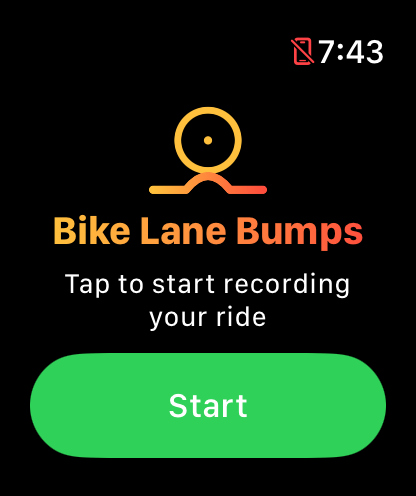
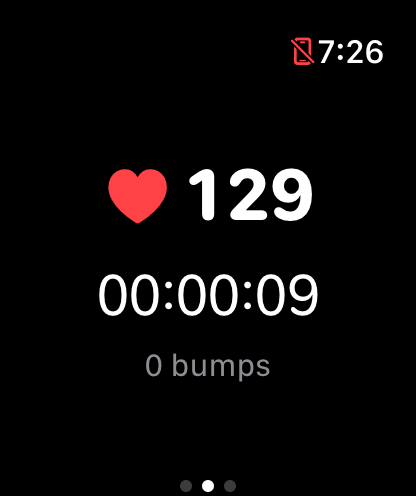
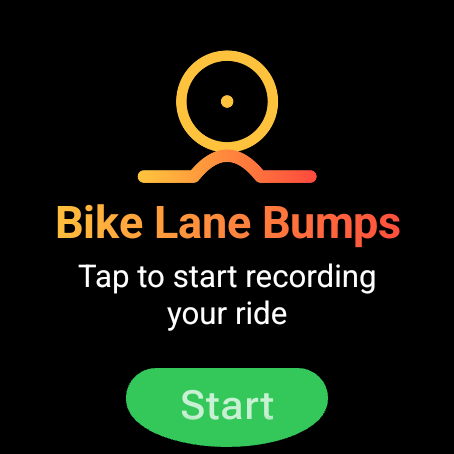
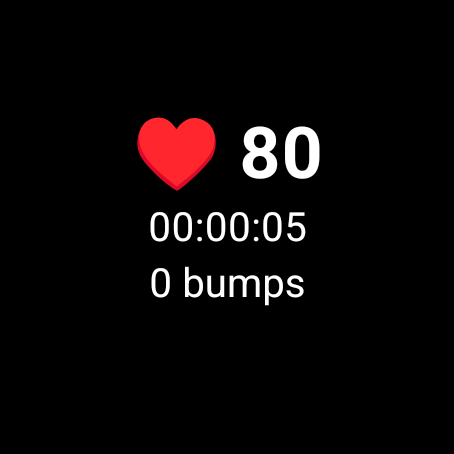
Tap Start before you clip in, then forget about it — BumpWatch tracks GPS, bumps, and your heart rate for the whole ride, no phone required. Mid-ride, the screen shows just your stats: swipe right for Pause and End, or left for distance, calories, and elevation. Same app on Apple Watch and Wear OS.
Get the app
BumpWatch runs right on your watch — Apple Watch or Wear OS — so it doesn't need your phone nearby once you're riding. Both versions upload to the same heatmap.